Eisenhower Matrix on Apple Reminders
As someone who's always on the lookout for ways to optimize productivity, you'll love this hack. The Eisenhower Matrix is a game-changing method that helps you prioritize tasks based on their urgency and importance. And the best part? You can set it up on Apple Reminders!
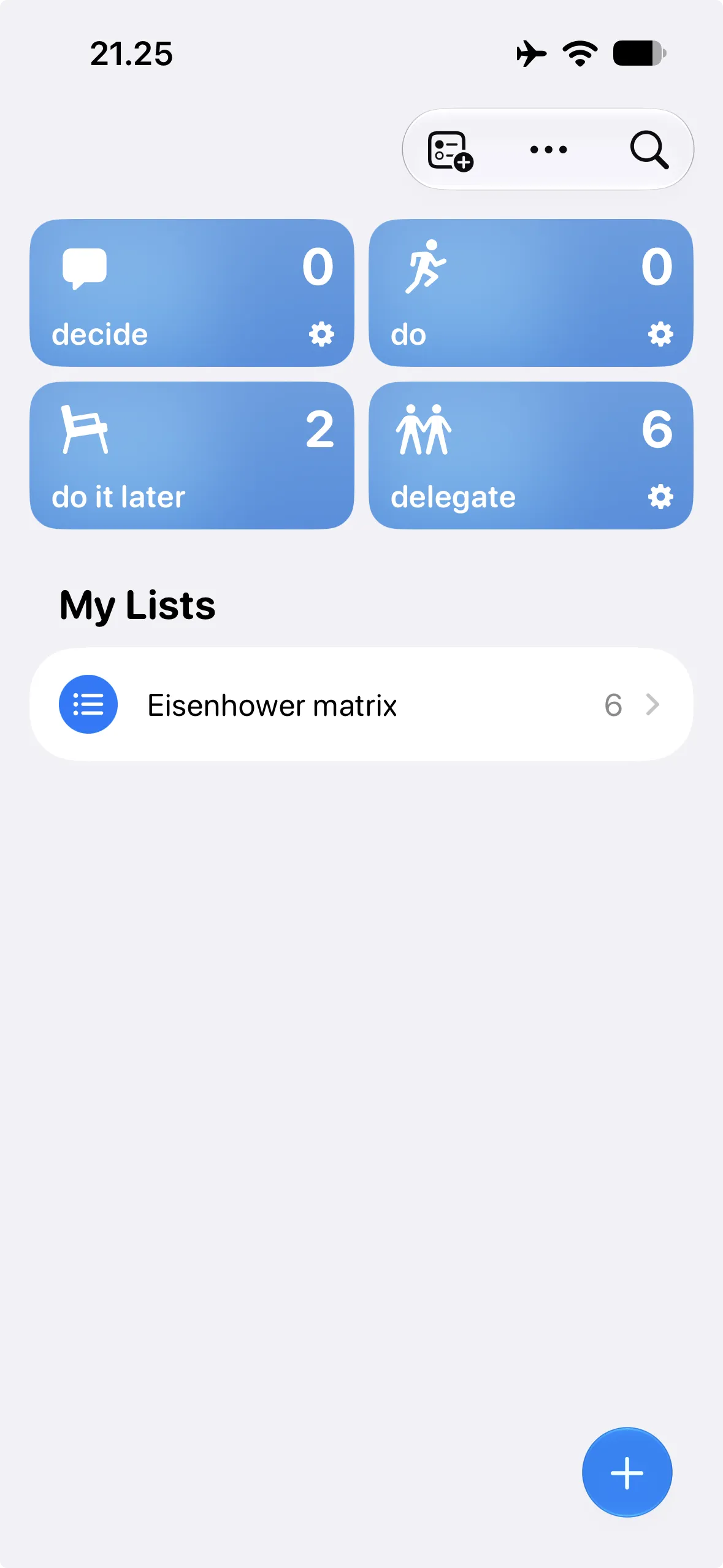
Here's how to get started:
- Open Apple Reminders and click the three dots, then edit the list.
- Add new list for four quadrants: Do, Delegate, Decide, and Do Later.
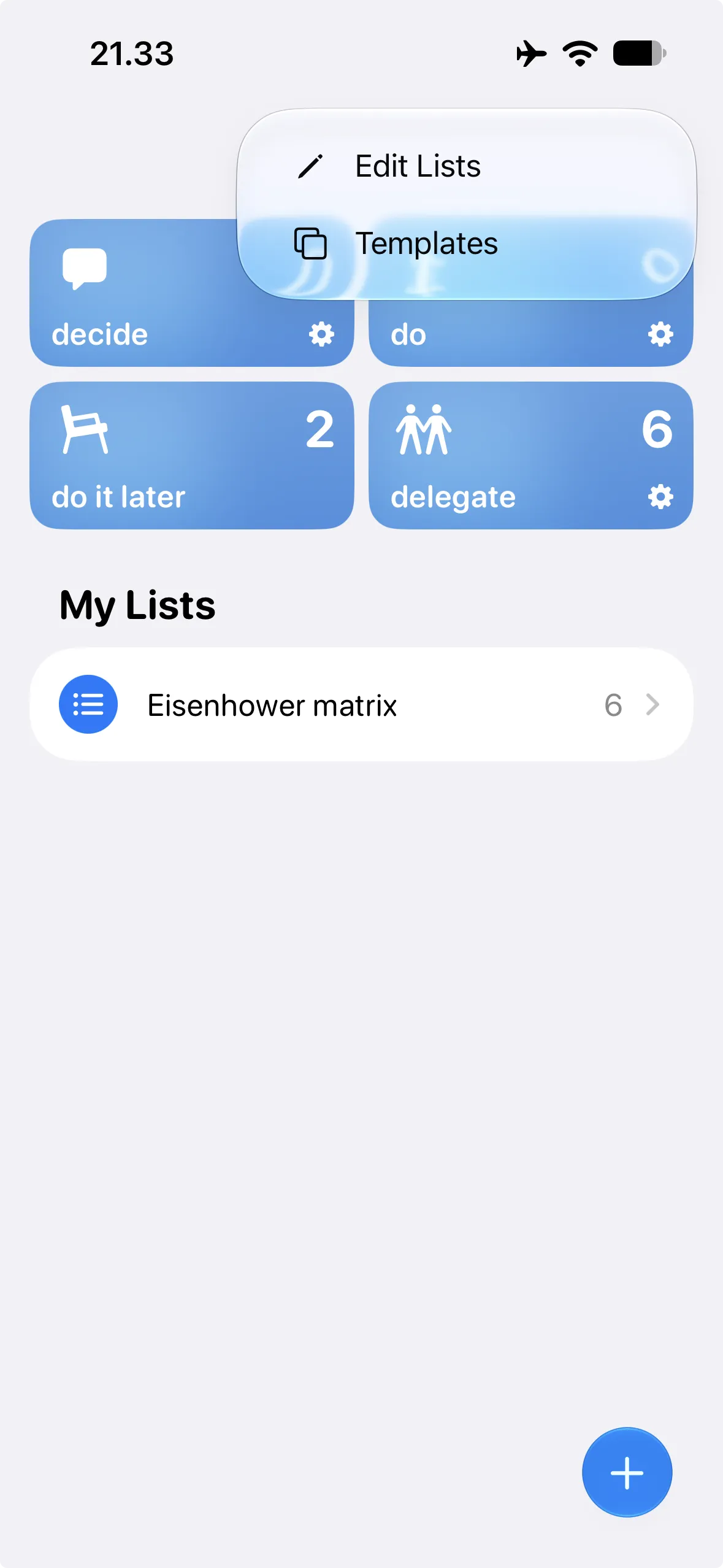
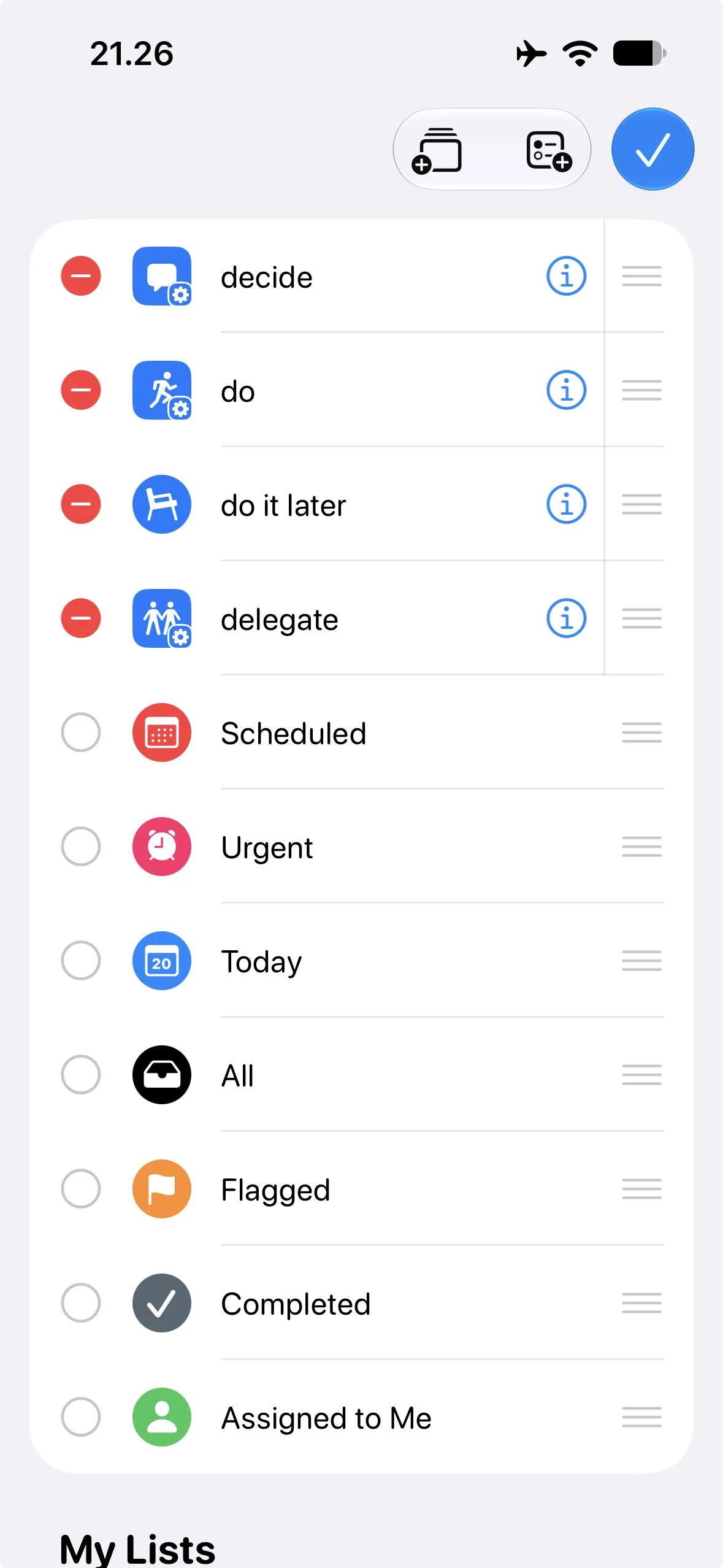
Now, you have two options: keep it as a standard list or upgrade to a smart list. If you choose the smart list option, follow these advanced steps:
- Do quadrant: Set priority to high and date to any.
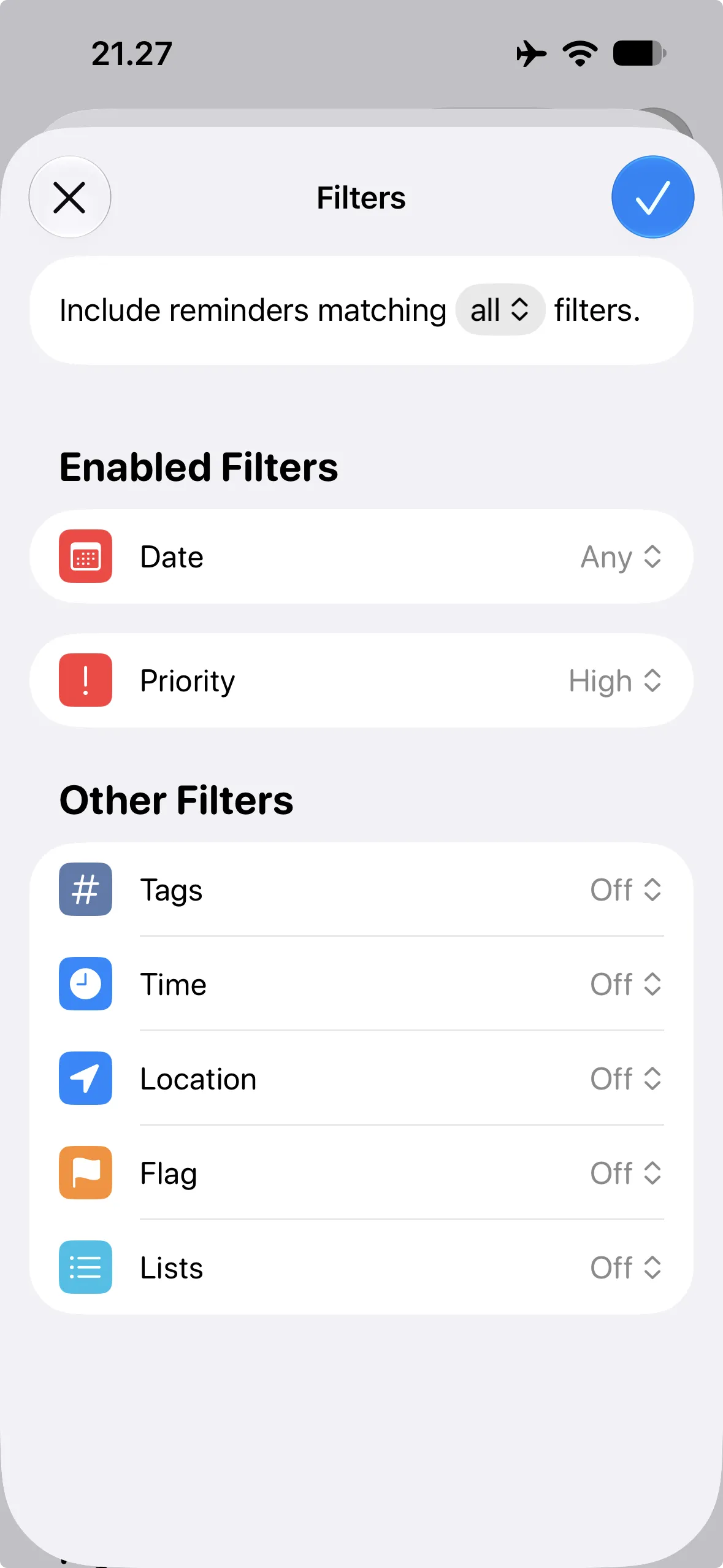
- Delegate quadrant: Set date to any.
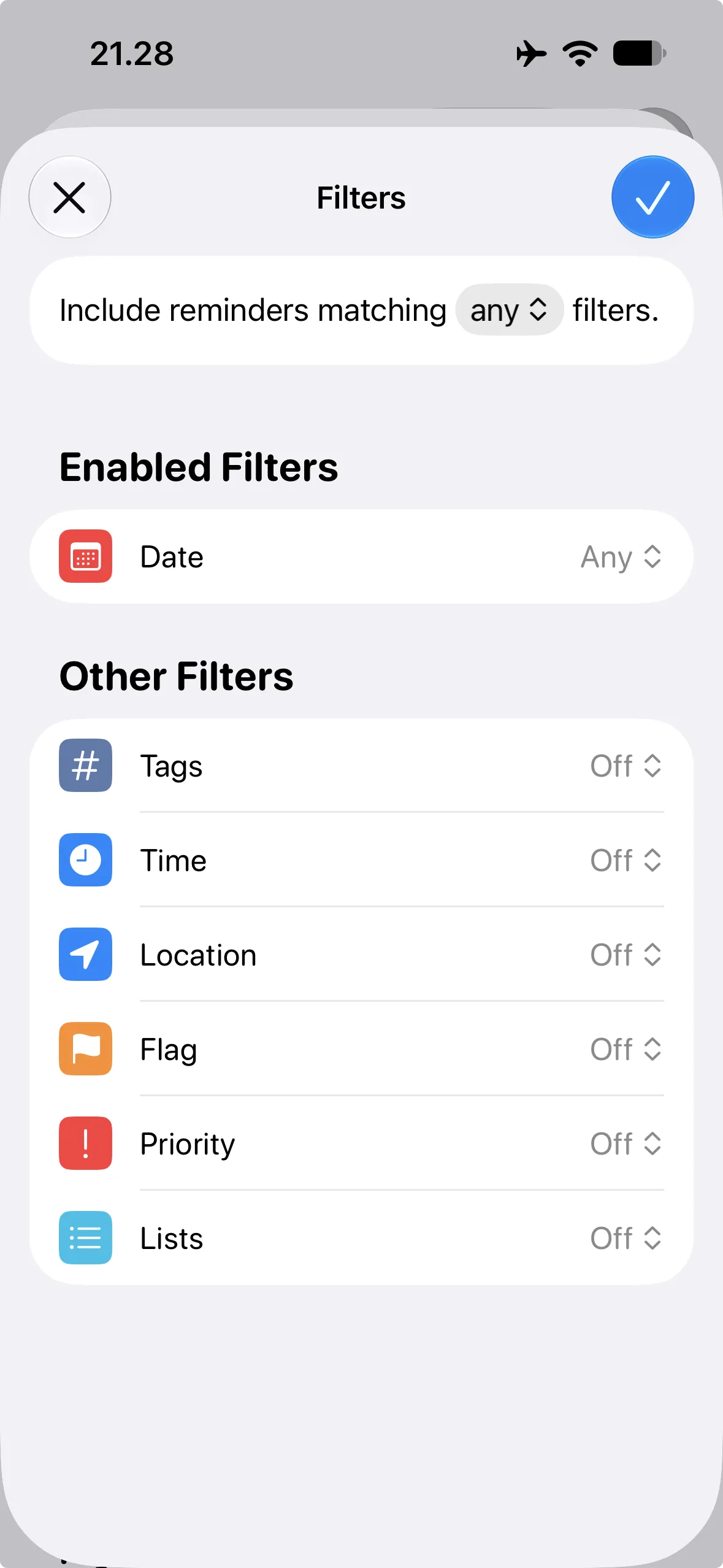
- Decide quadrant: Set priority to high.
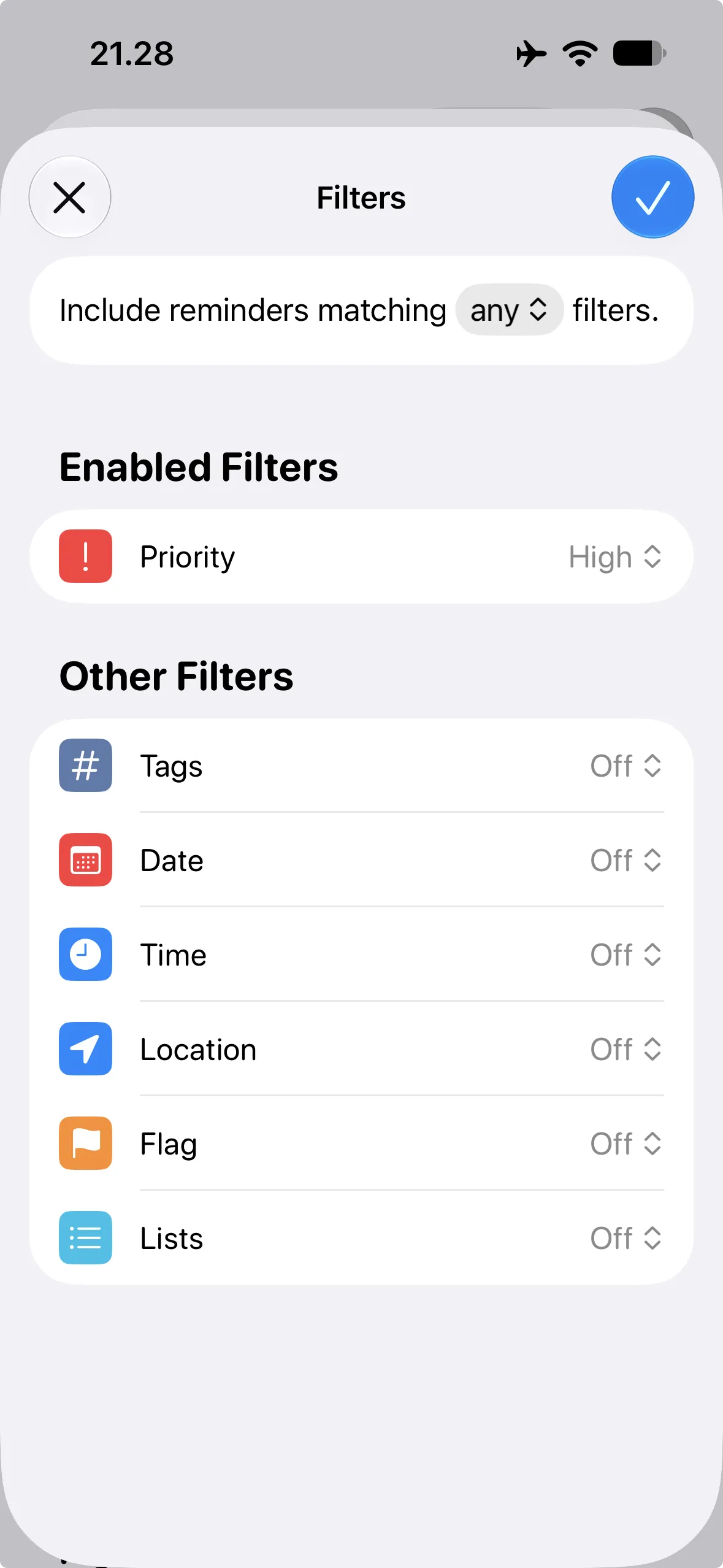
- Do Later quadrant: Keep it as a standard list.

By implementing the Eisenhower Matrix on Apple Reminders, you'll be able to:
- Prioritize tasks with ease
- Boost your productivity
- Reduce stress and overwhelm
Give it a try and experience the power of the Eisenhower Matrix for yourself!