Launching a Mac menu bar app to keep you productive
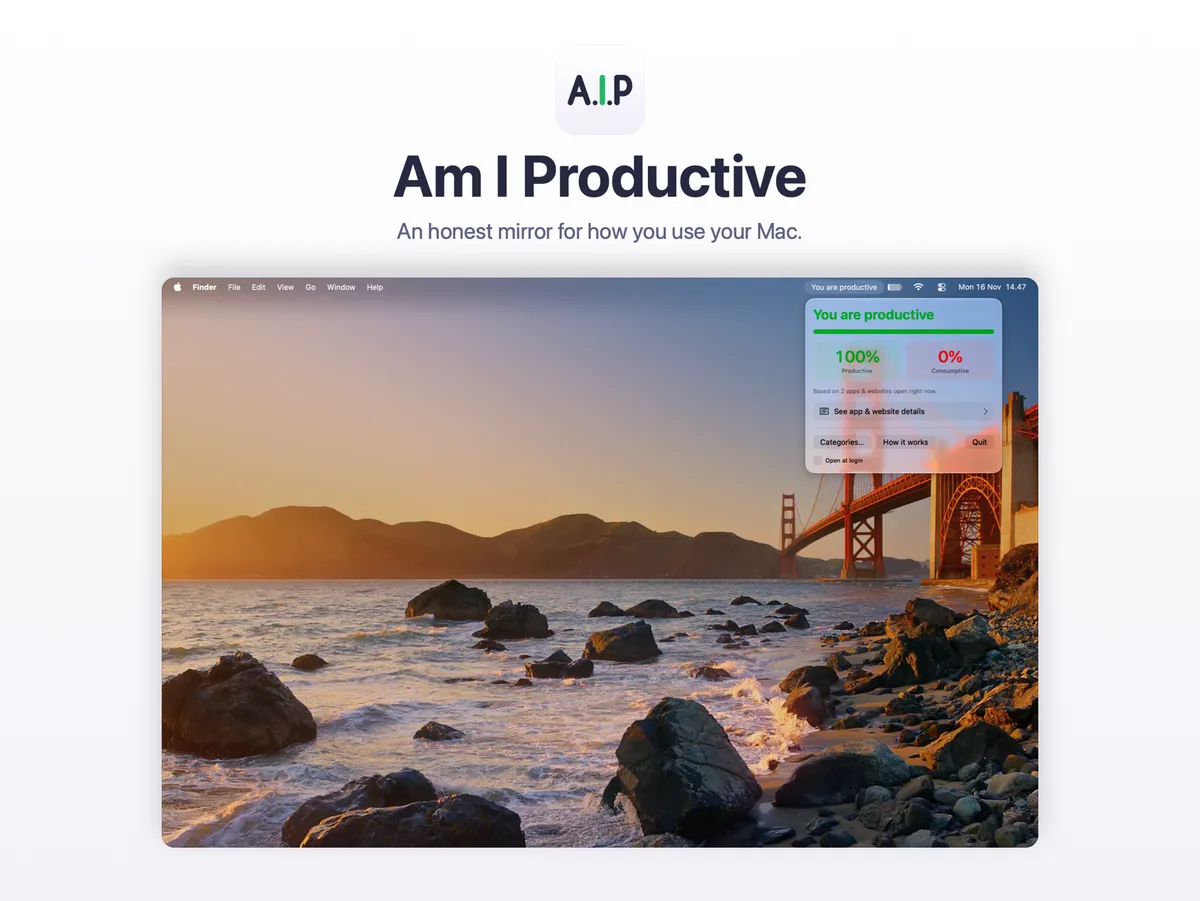
I spend most of my working day on a laptop. Some of those hours go into real work. Others slip away into one more video, one more feed, or one more tab that I opened "for a second". Most days, I only knew which kind of day it was after it was over.
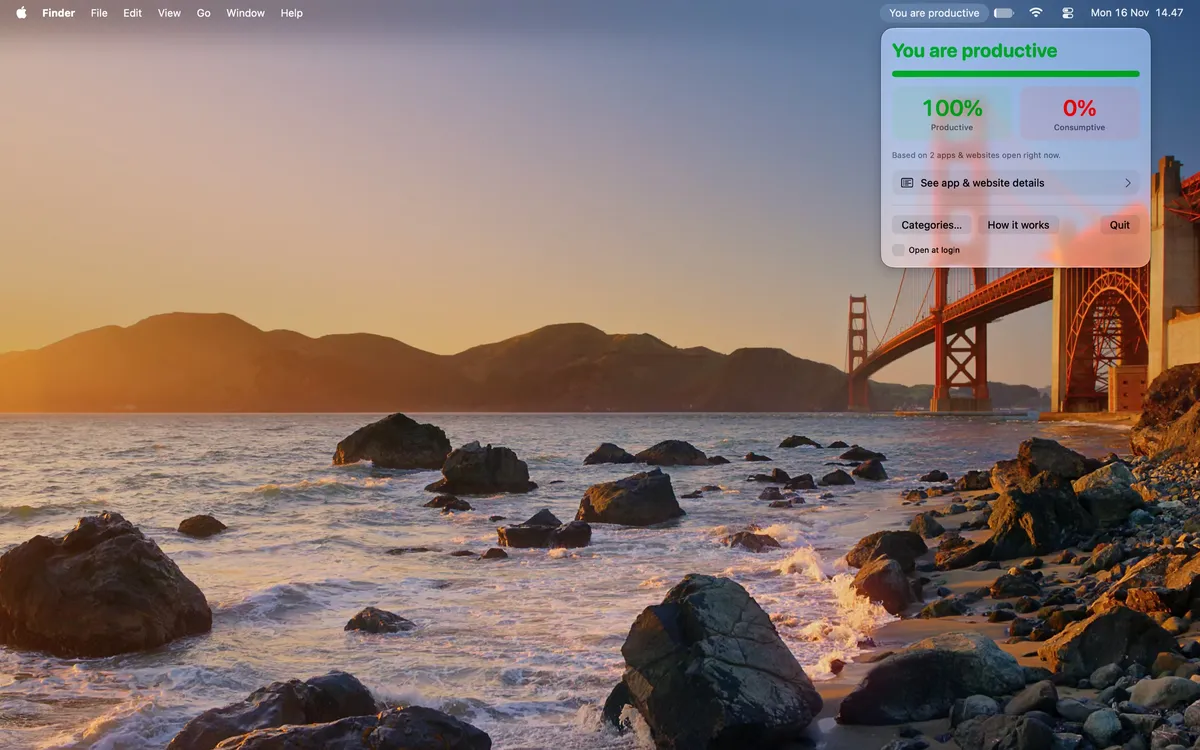
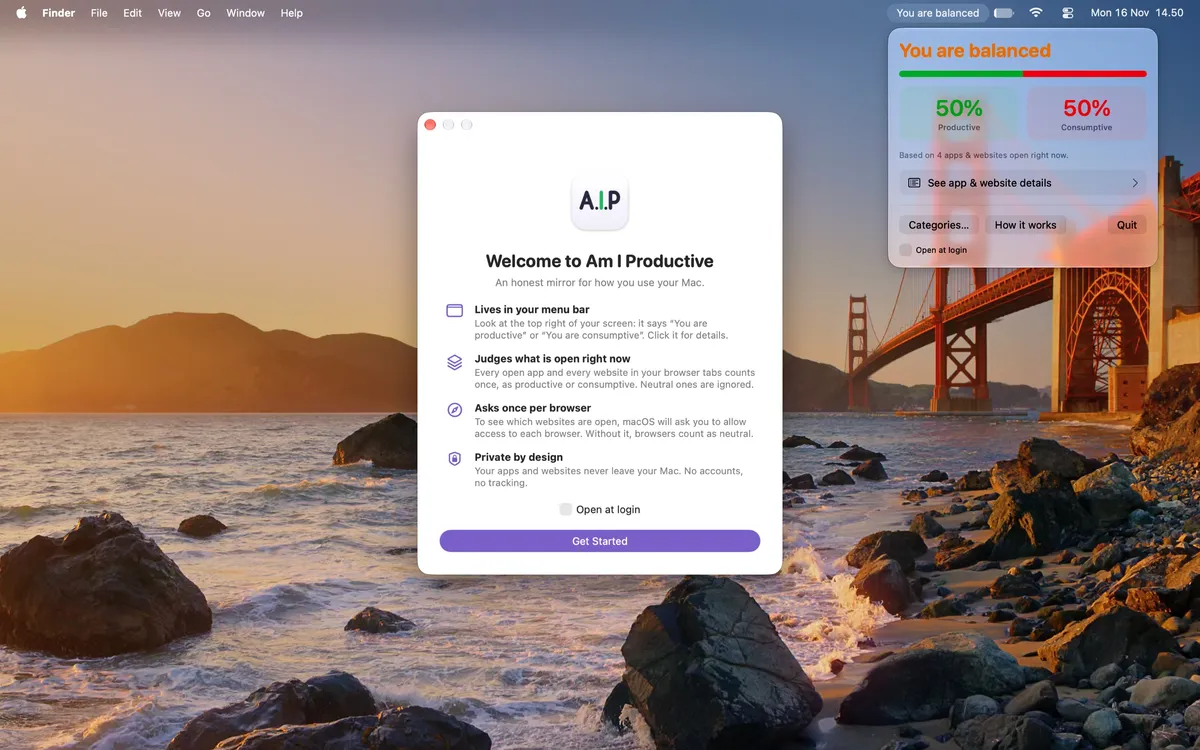
So I built a small tool for myself. Am I Productive sits in the Mac menu bar and answers one question in plain words: "You are productive" or "You are consumptive". When both sides are equal, it says "You are balanced".
Why seeing it helps
Distraction is hard to notice while it happens. Research suggests that this matters.
- Devices take attention even when we ignore them. Just having your own smartphone nearby lowers the mental capacity you have available.1
- Doomscrolling is a habit. It goes together with problematic social media use, fear of missing out and poor self-control.2
- Less social media can mean better well-being. Students who limited social media to 10 minutes per platform per day for three weeks felt less lonely and less depressed.3
- Honest feedback changes behavior. In an eight-week study, people improved their productivity only when their feedback showed their distracting activities.4
The idea behind the app follows from this. Make distraction visible in the moment, then let you decide what to do.
What a week with it changed
I used the first version every day for a week before I shared it.
- I saw how I really use my laptop. Not in a monthly report, but right now, in the corner of my screen.
- One glance at the menu bar was often enough to notice that my focus had drifted.
- "Productive" felt like a small reward. "Consumptive" stung a little, in a useful way.
The app is not a timer, a blocker or a guilt dashboard. It does not stop you from doing anything. It tells you the truth about this moment and leaves the choice to you.
How it works
- Every open app counts once. Writing, coding, research and office apps are productive. Games, social media and streaming are consumptive.
- Every website in your browser tabs counts once. Ten tabs of the same site still count as one.
- Neutral apps and sites, like Finder or a search page, do not count.
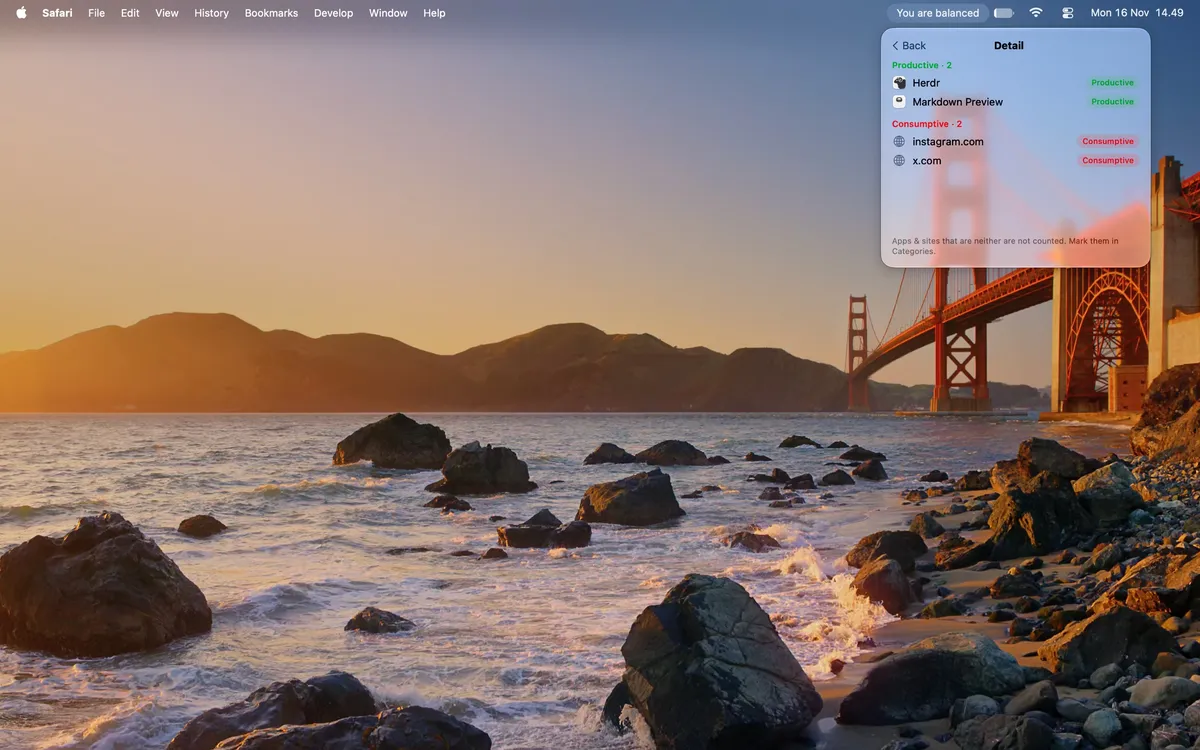
- Click the menu bar text to see your percentages and the apps and websites behind them.
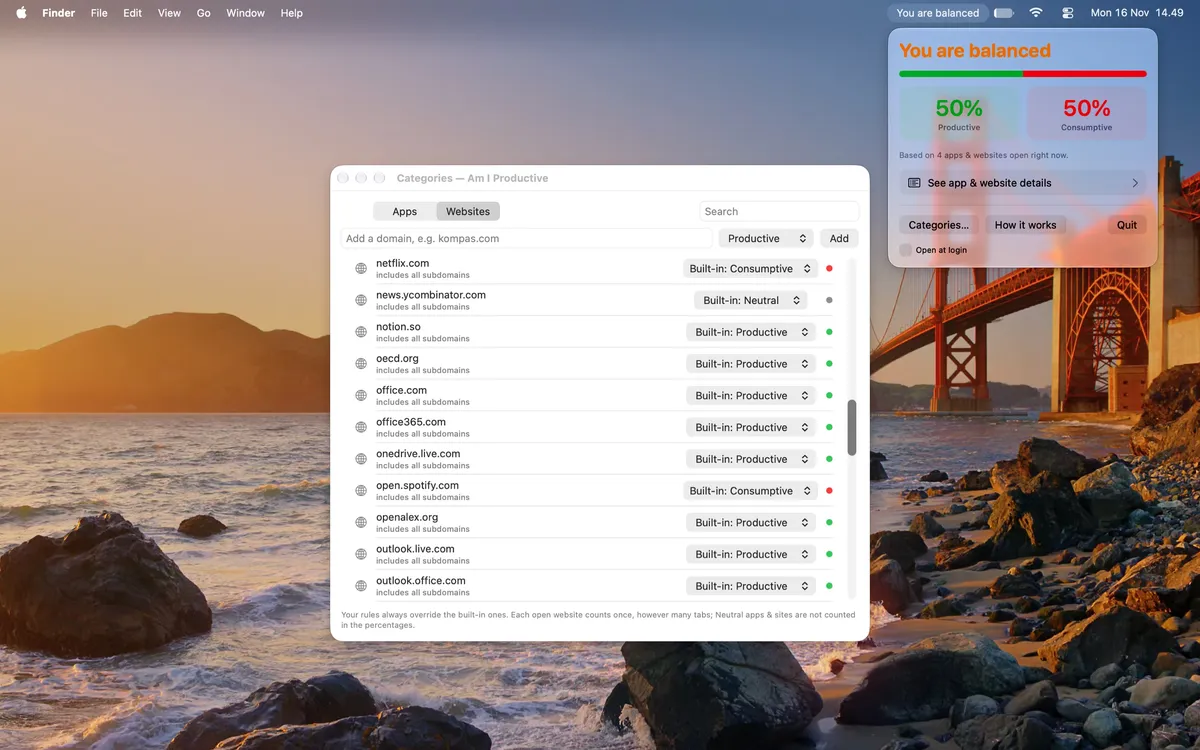
- Disagree with a label? Click it to change it, or set your own rules in Categories. Your rules always win.
Private by design
An app that sees your open apps and tabs must earn your trust. This is how it works.
- Local and native. It is a small Swift and SwiftUI app that runs only on your Mac. There are no servers and no account.
- It reads only what it needs. macOS tells the app which apps are open. With your permission, each browser shares the addresses of its open tabs. The app reduces each address to its domain, such as
youtube.com, and then discards it. - It stores almost nothing. There is no history of your apps or websites. The app saves only your own category rules, in its sandboxed folder.
- It is light on your Mac. It updates only when something changes, such as when you switch apps.
- It makes one kind of network request. To check your license, the app contacts Polar, our payment provider. This happens when you activate it and about once a week after that. The request contains only your license key and a generic label such as "Mac (macOS 15.1)".
Get Am I Productive
One payment, one Mac, no subscription. macOS 14 or later, on Apple silicon and Intel.
Thank you for your purchase! Polar has emailed you a link to download the app and copy your license key.
FAQ
How do I activate my license? After you pay, Polar the payment processor system sends you an order email. Open your customer portal from that email to download the app and copy your license key. Drag the app to your Applications folder and open it. Paste the key into the welcome window and press Activate. Lost the email? Sign in to the customer portal with the email address you used to pay.
macOS says it cannot verify the developer. This can happen the first time you open the app. Open System Settings › Privacy & Security, scroll down, and click "Open Anyway" next to Am I Productive. You only need to do this once.
Where is the app after I open it? In the menu bar at the top right of your screen. On a MacBook with a notch, a full menu bar can hide it. Quit a few other menu bar apps, or open Am I Productive again from Applications to see the welcome window.
My browser tabs are not counted. Open System Settings › Privacy & Security › Automation, find Am I Productive, and turn on your browser. Firefox does not let other apps read its tabs, so it counts as neutral.
An app or website has the wrong label. Click the menu bar text, choose "See app & website details", and click the label to change it. You can also use "Categories…" to set rules for any app or website.
Can I move my license to another Mac? Yes. Choose "Deactivate this Mac" in the app, then activate the same key on the new Mac. One key works on one Mac at a time.
How do I start it automatically? Turn on "Open at login" in the menu bar panel or in the welcome window.
What is your privacy policy? Last updated: November 17, 2026. Am I Productive is made by Wayan Satya Pariana Buditama. The app collects no personal data. It has no analytics, no advertising and no tracking. It stores only your category rules on your Mac. The only data it sends is your license key and a generic device label, to Polar's license server. Polar is our merchant of record and handles payment, tax and your receipt. The Mac App Store version makes no network connections. If this policy changes, I will update this post with a new date.
How do I get help? Email mail@wayansatya.com. I read every message and usually reply within two days.
Ward, A. F., Duke, K. E., Gneezy, A., & Bos, M. W. (2017). Brain drain: The mere presence of one's own smartphone reduces available cognitive capacity. Journal of the Association for Consumer Research, 2(2), 140–154. https://doi.org/10.1086/691462↩
Sharma, B., Lee, S. S., & Johnson, B. K. (2022). The dark at the end of the tunnel: Doomscrolling on social media newsfeeds. Technology, Mind, and Behavior, 3(1), 144–156. https://doi.org/10.1037/tmb0000059↩
Hunt, M. G., Marx, R., Lipson, C., & Young, J. (2018). No more FOMO: Limiting social media decreases loneliness and depression. Journal of Social and Clinical Psychology, 37(10), 751–768. https://doi.org/10.1521/jscp.2018.37.10.751↩
Kim, Y., Jeon, J. H., Choe, E. K., Lee, B., Kim, K., & Seo, J. (2016). TimeAware: Leveraging framing effects to enhance personal productivity. Proceedings of the 2016 CHI Conference on Human Factors in Computing Systems, 272–283. https://doi.org/10.1145/2858036.2858428↩